MyPLAYER BUILDER TIPS GUIDE
Learn how to build the ultimate MyPLAYER in NBA 2K27 with key tips on Badges, Takeovers, Cap Breakers, Build Specializations, and attributes.
MyPLAYER BUILDER TIPS GUIDE
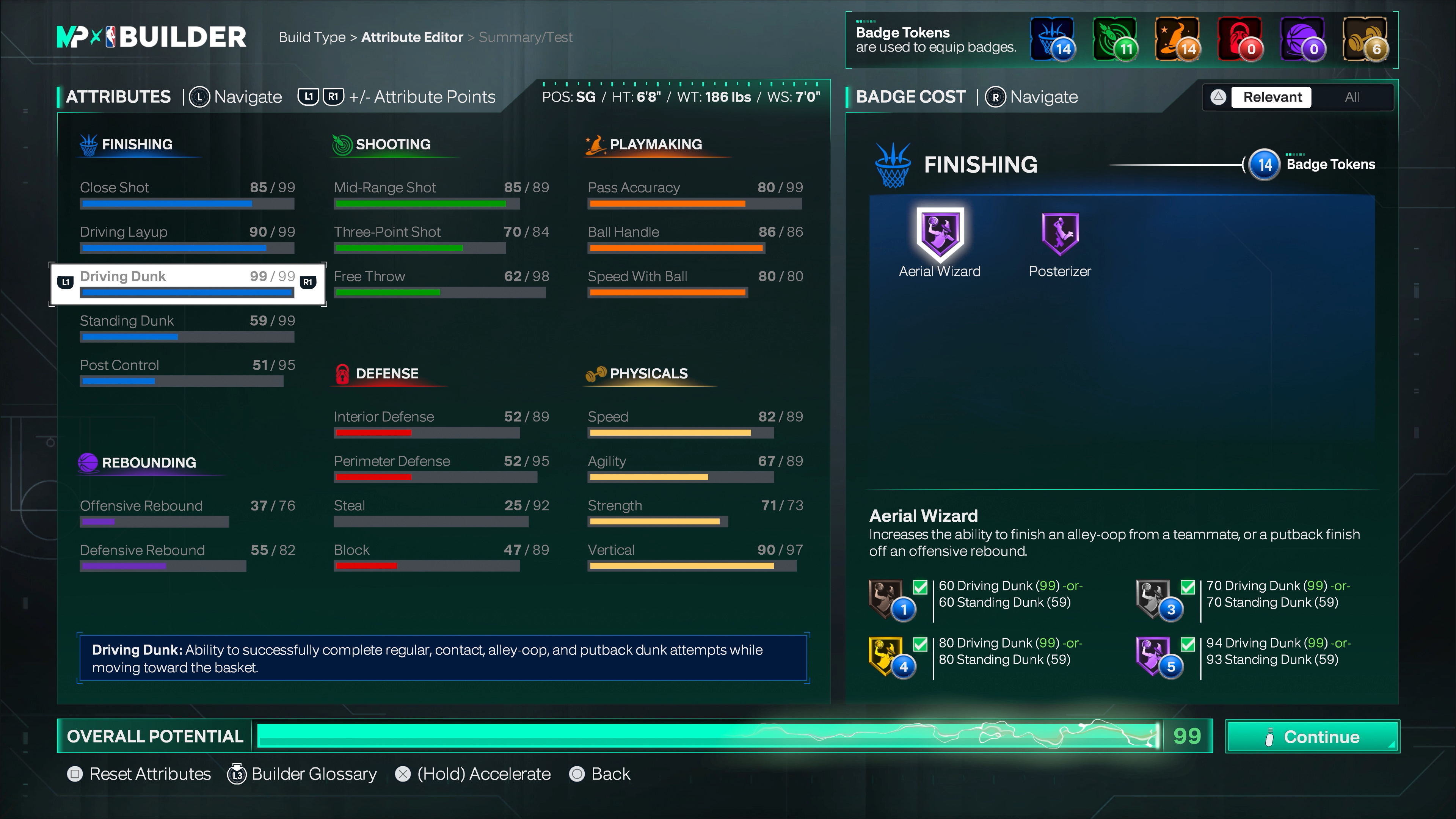
Want to build the ultimate MyPLAYER in NBA 2K27? You’ll need to carefully plan your Badges, Takeovers, and attribute thresholds. Check out these quick tips for the MyPLAYER Builder to learn how to make the perfect Build for your playstyle.
Lock in on a few Badges and animations that you want for your MyPLAYER before finalizing your build.
If you’re targeting specific Badges and animations for your MyPLAYER, you’ll need to fulfill specific attribute requirements in the Builder. As an example, you’ll need an 83 Speed With Ball attribute rating to equip Zach LaVine’s dribble animations. Additionally, your MyPLAYER will need to be 6’7” or shorter.
Think about the trade-offs between physical measurements, attributes, and animations. A taller player with a lower Speed With Ball rating can still equip other great dribble animations, such as Scoot Henderson and James Harden.
Check eligible Takeover Abilities and their requirements for your Build.
Be aware of the attribute requirements of specific Takeover Abilities. If you want specific Takeovers for your build, you can view their requirements by navigating to the “Takeover Abilities” menu. Default Takeovers are all unlocked by default, but you’ll need to reach attribute thresholds for all other options.
For example, Shot Artist requires your MyPLAYER to have either an 89 Three-Point Shot or Mid-Range Shot rating. Airspace requires you to have both an 87 Driving Dunk and a 75 Vertical.
Complete Build Specialization quests for even more rewards
Navigate to the “Progression” tab in the MyPLAYER pause menu to find Build Specialization quests, each with unique rewards tailored to your MyPLAYER’s specific skill set. These sequential goals within a certain Specialization that unlock Badge Perks, Cap Breakers, cosmetics, and more.
Select a build specialization path in order to unlock rewards on its specific rewards tracker. Be careful: once you commit to a Build Specialization, you can’t change it without creating a brand-new build!
Remember to optimize your build for future Cap Breakers.
You don’t always need to set your attribute cap at 99 OVR. When you use a Cap Breaker on a lower attribute rating, you’ll automatically gain more points towards that specific attribute. Experiment with Cap Breakers in the Builder to tailor your MyPLAYER to your game and max out your attribute gains!
Once you’ve created your build to a 99 OVR in the MyPLAYER Builder, the Cap Breaker preview will become available. It shows you exactly how much of a boost each attribute receives if a Cap Breaker is applied, giving you total clarity before you commit.
Don’t forget Badge Tokens
Cap Breakers won’t unlock more Badge Tokens. Make sure your build has enough Badge Tokens to equip the upgraded Badge Tiers you unlocked with Cap Breakers. If you don’t have enough, you can unlock more Badge Tokens in Season Rewards, Build Specialization, and more!
Badge Tokens earned by filling up discipline meters must be used in their respective disciplines. However, bonus Badge Tokens can be earned through Season Rewards, Build Specialization, Crew rewards, and the NBA 2K HQ app. These can be applied to any discipline and used to fulfill requirements for any unlocked Badge.
You can find your Build’s Badge Tokens in the top right corner of the MyPLAYER Builder. The amount of Cap Breakers in your inventory can be found in the Attribute Upgrades menu after you’ve created your Build.
Planning out your MyPLAYER build in advance is a big step towards maximizing your play on the court. By setting clear targets for Badges, Takeovers, and animations from the start, you can build a player perfectly tailored to your playstyle and dominate every game in NBA 2K27.