STEP 1: WATCH
Log into Twitch and watch any NBA 2K livestream that has Twitch Drops enabled. You will see a Drops notification at the top of the chat in eligible livestreams that shows how long you need to watch to earn each reward. This page will also list active campaigns and watch time requirements.

STEP 2: CLAIM YOUR DROPS
Track your progress in your Twitch Inventory. Once you complete a watch time requirement, you will receive a claim notification in Twitch. Make sure you claim your Drop in your Twitch Inventory within 24 hours of completing it.

STEP 3: LOG IN
Tap the button below and log in with the same Twitch account you completed the Drop with. After logging in, return here to receive your Locker Code! Please allow up to 48 hours after claiming your Drop through Twitch for your Locker Code to become available.
CURRENT CAMPAIGN
Dates, Times, and Channels
October 16, 2026 8 AM PT - November 13, 2026 6 AM PT
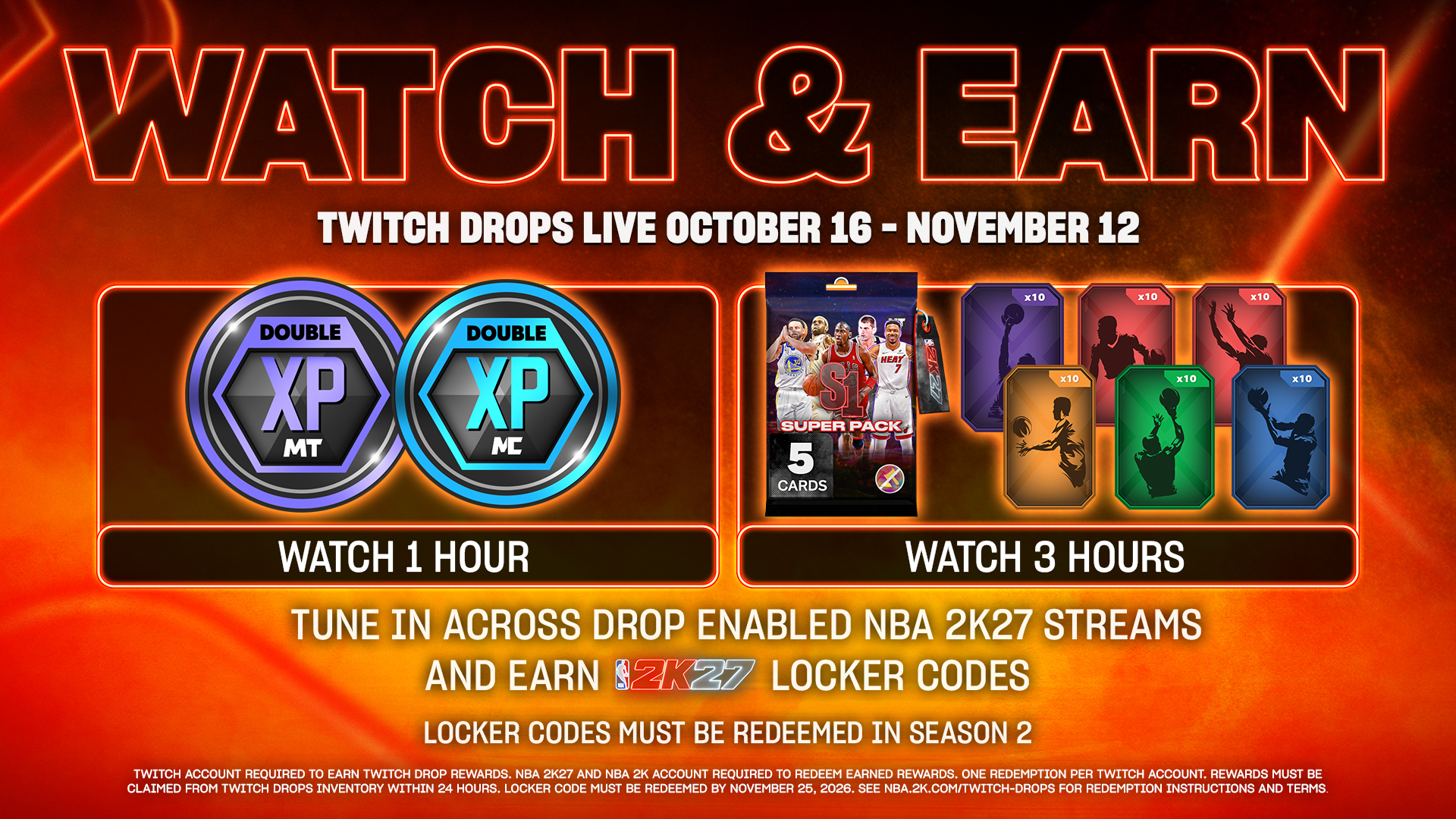
Watch Drops enabled livestreams of NBA 2K27 on Twitch to earn Locker Codes containing the following rewards for NBA 2K27:
WATCH 1 HOUR
- MyTEAM 1 Hour 2XP Coin
- MyCAREER 1 Hour 2XP Coin
WATCH 3 HOURS
- MyTEAM Season 1 Super Pack (Unauctionable)
- MyCAREER Skill Boosts - 10x All Categories
The official NBA 2K channel and your favorite streamers will have Drops enabled! Go here and look for streams with the tag “DropEnabled” to watch participating streams that are LIVE now.
PREVIOUS CAMPAIGN
Dates, Times, and Channels
October 2, 2026 2 PM / 5 PM ET

Watch the NBA 2K27 x Nike Ja 4 Community Clash on Twitch for 15 minutes to complete this Twitch Drops campaign and earn an exclusive Locker Code, containing a Nike Ja 4 MyCOURT Mural for NBA 2K27!
FAQ
Q: How do tiered watch time rewards work?
A: Each Drops campaign may have multiple reward tiers (e.g. 45 minutes, 2 hours). The more you watch, the more rewards you earn.
You must claim each reward in your Twitch Inventory before progressing to the next tier. After claiming, log in on this page with the same Twitch account you completed the Drop with to receive your Locker Code.
You will receive a separate Locker Code for each reward tier.
Q: How do I participate in Twitch Drops?
A: Rewards are only available when a Twitch Drops campaign is active. Scheduled campaigns and their requirements can be found right here on this page.
STEP 1: Log into Twitch and watch any NBA 2K livestream that has Twitch Drops enabled. You will see a Drops notification at the top of the chat in eligible livestreams that shows how long you need to watch to earn each reward.
STEP 2: Track your progress in your Twitch Inventory. Once you complete a watch time requirement, you will receive a claim notification in Twitch. Make sure you claim your Drop in your Twitch Inventory within 24 hours of completing it.
STEP 3: Log in on this page with the same Twitch account you completed the Drop with. Please allow up to 48 hours after claiming your Drop through Twitch for your Locker Code to become available.
Q: Who is eligible to earn NBA 2K27 rewards through the Twitch Drops program?
A: All players who play NBA 2K27, have created an NBA 2K Account, and have a Twitch account are eligible. Don't have a Twitch account? Sign up here.
Q: I don’t have NBA 2K27 yet, can I still earn NBA 2K27 rewards through the Twitch Drops program?
A: As long as you have claimed a Drop reward on Twitch, you will be able to receive the associated reward Locker Code here on this page.
NBA 2K27 Locker Codes can be redeemed in NBA 2K27 once you purchase and start the game for the first time and set up your NBA 2K Account.
Be sure to redeem your Locker Code before the expiration date displayed next to it on this page.
Q: How do I claim my Locker Code?
A: Tap the “LOG IN WITH TWITCH” button on this page and log in with the same Twitch account you completed the Drop with. After logging in, return here to receive your Locker Code! Please allow up to 48 hours after claiming your Drop through Twitch for your Locker Code to become available.
Q: How do I redeem my NBA 2K27 Locker Code?
A: You can redeem your NBA 2K27 Locker Code in NBA 2K27, after you start the game for the first time and set up your NBA 2K Account. In NBA 2K27:
- Go to MyCAREER or MyTEAM from the Main Menu.
- In MyCAREER, select the “Options/Quit” menu while you are in The City. In MyTEAM, select the “MARKET” tab.
- Select “Locker Codes”.
- Enter the Locker Code you want to redeem. Locker Codes are not case-sensitive but be sure to include the hyphens.
Q: Where can I learn more?
A: Please visit the Twitch Drops Help page for more information.